Smart Home Privacy UK: How to Keep Your Devices Secure
Smart home devices are genuinely useful, but they do raise legitimate questions about privacy and security. A voice assistant that’s […]
Contents
- The Real Risks (and What to Worry About)
- Start With Your Router
- Use a Separate IoT Wi-Fi Network
- Strong Passwords and Two-Factor Authentication
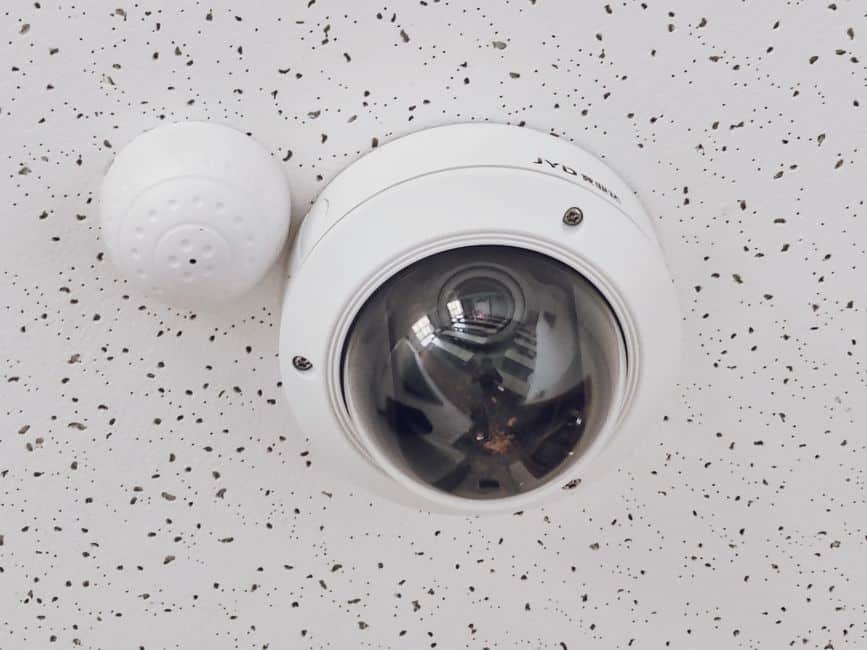
- Camera and Doorbell Privacy
- Voice Assistant Privacy
- Smart Lock Security
- Keep Firmware Up to Date
- What Data Do Smart Home Devices Collect?
- Related Guides
- Frequently Asked Questions
- Can smart home devices be hacked?
- Is Alexa always listening?
- Which smart home devices are most at risk?
- Should I put smart home devices on a separate Wi-Fi network?
Smart home devices are genuinely useful, but they do raise legitimate questions about privacy and security. A voice assistant that’s always listening, cameras that record your home, a smart lock that logs every time someone enters - it’s reasonable to want to understand what data these devices collect, where it goes, and what the real-world risks are. The good news is that for most people, with a handful of sensible precautions, the risks are manageable.
This guide takes a practical, non-alarmist look at smart home security and privacy in the UK. We’ll cover the genuine threats (which are more mundane than headlines suggest), the steps that make a real difference, and how to think about the trade-off between convenience and privacy.
The Real Risks (and What to Worry About)
The threat model for most UK households is not sophisticated hackers or nation-state actors. It’s far more prosaic: weak or reused passwords, router admin accounts left on their factory defaults, and devices running firmware that hasn’t been updated in years. The vast majority of smart home security incidents - exposed camera feeds, compromised accounts - trace back to one of these three causes. Fix these and you’ve eliminated 90% of the realistic risk.
Camera feeds are the biggest genuine concern. A camera that broadcasts to the internet with a weak password is a meaningful privacy risk. Voice assistants occasionally misfire and record unintended audio. Smart locks introduce digital attack surfaces alongside physical ones. These are real considerations, not paranoia - but they’re all addressable with straightforward measures.
Start With Your Router
- Change the router admin password. Not the Wi-Fi password - the separate admin login you use to access your router’s settings page (usually at 192.168.0.1 or 192.168.1.1). The factory default is often ‘admin’/‘admin’ or printed on the router label. Change it to something unique.
- Keep router firmware updated. Router manufacturers release security updates regularly. Check your router’s admin panel for a firmware update option, or enable automatic updates if available.
- Use WPA3 encryption. If your router supports it, switch your Wi-Fi security from WPA2 to WPA3 in the wireless settings. WPA3 is more resistant to brute-force password attacks.
- Create a separate IoT network. Most modern routers allow you to create a second Wi-Fi network (often called a guest network). Put all your smart home devices on it, separate from your computers and phones.
Use a Separate IoT Wi-Fi Network
Network segmentation - putting smart home devices on a separate Wi-Fi network from your computers, phones, and NAS drives - is the single most effective structural security measure you can take. The principle is simple: if a smart device is compromised, it can only reach other devices on the same network segment. Your laptop, phone, and any stored files remain unreachable. Most modern routers (including those provided by BT, Sky, Virgin, and most mesh systems) support this as a guest network feature - it’s usually a simple toggle in the router’s settings.
Strong Passwords and Two-Factor Authentication
- Never reuse passwords between smart home accounts. If one service is breached and your password is exposed, attackers will try it on every other service automatically.
- Use a password manager. Bitwarden (free) and 1Password (paid) both generate and store unique strong passwords for every account.
- Enable two-factor authentication (2FA) on every smart home account that supports it - Google, Amazon, Apple, Ring, Nest, Philips Hue. This means a stolen password alone isn’t enough to access your account.
- Check for breached credentials at haveibeenpwned.com - a free service that tells you if your email address has appeared in any known data breaches.
Camera and Doorbell Privacy
- Stick to reputable brands. Eufy, Ring, Arlo, Google Nest, and Reolink all have established security programmes and respond to vulnerabilities. Unbranded cameras from unknown manufacturers are a significant risk.
- Check where footage is stored. Most major brands store footage on EU or UK servers. Check the privacy policy if this matters to you.
- Use cameras with local storage if you want to avoid cloud entirely. Eufy cameras with HomeBase store footage locally by default.
- Consider disabling or covering indoor cameras when you’re home if you’d rather not have continuous recording of your living space.
- Audit account access. Review who has access to your camera account and remove anyone who shouldn’t still have it.
Voice Assistant Privacy
- Review and delete your voice history. Amazon: alexa.amazon.com → History. Google: myactivity.google.com. Both allow you to delete recordings individually or in bulk, and to set automatic deletion on a rolling basis.
- Use the physical mute button when you want complete certainty. All Echo and Google Nest speakers have a hardware mute button that physically disconnects the microphone.
- Wake word detection is local. The device listens locally for its wake word only. Audio is only sent to the cloud after the wake word is detected - not continuously.
- Opt out of human review. Both Amazon and Google have historically used human contractors to review a sample of voice recordings for quality purposes. You can opt out of this in the respective privacy settings.
Smart Lock Security
Smart locks are generally as secure as - and often more secure than - the physical locks they replace. The main considerations are: use a strong, non-obvious PIN code; don’t share access codes with people you don’t fully trust; keep the lock’s app and firmware updated; and be cautious with auto-unlock features based on phone proximity, as these can occasionally trigger unintentionally. Most smart locks also retain a physical key override as a backup, which is important to maintain.
Keep Firmware Up to Date
Unpatched firmware is one of the most common attack vectors for smart home devices. Manufacturers regularly release updates that fix known vulnerabilities, and if your device is running old firmware, you may be exposed to issues that were fixed months ago. Most smart home devices update automatically via their app - check your app settings to confirm that auto-updates are enabled. For devices that don’t update automatically (some older Shelly devices, for example), set a reminder to check for updates quarterly.
What Data Do Smart Home Devices Collect?
Voice assistants log voice clips triggered by the wake word. Smart thermostats track occupancy patterns and temperature preferences. Smart cameras record motion events. Smart plugs log when appliances are used. All of this data is subject to UK GDPR, and all major manufacturers - tado, Google Nest, Amazon Ring, Philips Hue - publish privacy policies detailing what is collected, how it’s used, and how long it’s retained. If you want complete data sovereignty, Home Assistant running on local hardware keeps all data on your own network and sends nothing to external servers.
Related Guides
- Best Smart Security Camera UK 2026
- Best Smart Doorbell UK 2026
- Best Smart Locks UK 2026
- Best Smart Speakers UK 2026
- Home Assistant UK Beginner’s Guide
Frequently Asked Questions
Can smart home devices be hacked?
Yes, but the risk is low with basic security hygiene in place. The overwhelming majority of smart home security incidents are caused by weak or reused passwords, not sophisticated attacks. Use unique passwords, enable 2FA, keep firmware updated, and put devices on a separate IoT network - and your risk is minimal.
Is Alexa always listening?
The Echo device listens locally for its wake word only using an on-device model. Audio is only transmitted to Amazon’s servers after the wake word is detected. The device is not continuously recording and uploading audio. You can verify this - and mute the microphone completely - using the hardware mute button on top of the device.
Which smart home devices are most at risk?
Cameras and doorbells carry the highest privacy risk because a compromise exposes video footage of your home and family. Routers are the highest-value target for attackers because compromising the router gives access to everything on the network. Smart plugs and bulbs carry very little sensitive data and are low risk in practice.
Should I put smart home devices on a separate Wi-Fi network?
Yes, strongly recommended. This is called network segmentation, and it ensures that even if a smart device is compromised, the attacker can’t reach your computers, phones, or storage devices on the main network. Most modern routers support this via a guest network setting - it takes about five minutes to set up.
Related guides
 GUIDE
GUIDE
Smart Home Gear That Actually Works in a Small Flat or Shared House (UK)
What to buy for communal areas vs your own room in a house share, and how…
 GUIDE
GUIDE
Future-Proofing Your Smart Home: Lessons from Discontinued Ecosystems (Wink, Insteon) UK
What the Wink and Insteon shutdowns teach us about avoiding smart home purchases that could disappear…
 GUIDE
GUIDE
Building Smart Home Automations That Work Across Ecosystems (Matter/Google/Alexa/Apple) UK
A practical guide to making Google Home, Alexa and Apple Home work together using Matter, and…