My Actual Home Assistant Setup: What I Run and Why
A real, honest look at one working Home Assistant setup - the hardware, the automations that stuck, and the mistakes worth learning from.
Contents
- The Hub: Home Assistant on a Dedicated Mini PC
- Device Mix: Deliberately Not One Ecosystem
- A Real Problem: Devices Randomly Dropping Off the Mesh
- Automations That Actually Get Used
- Automations That Didn’t Survive
- What This Actually Costs to Run
- What I’d Do Differently
- Frequently Asked Questions
- Is this setup overkill for a normal household?
- What would you recommend as a starting point if you were setting up from scratch today?
Most of the guides on this site are deliberately general - covering options for different budgets, different ecosystems, different priorities. This one’s different: it’s what’s actually running in my own house, why I made the choices I did, and what I’d genuinely do differently if I started again. Take it as one real example rather than a universal recommendation.
The Hub: Home Assistant on a Dedicated Mini PC
Home Assistant runs on a small dedicated mini PC rather than a Raspberry Pi, mainly because I wanted enough spare processing headroom to run a few resource-heavier add-ons (a local voice pipeline, a database that doesn’t choke on months of sensor history) without the whole system slowing down. A Raspberry Pi 5 or the official Home Assistant Green would genuinely be plenty for most households - my reasoning was specifically about wanting headroom, not that a Pi is inadequate.
Device Mix: Deliberately Not One Ecosystem
- Lighting: Philips Hue, mainly because it was already installed before Home Assistant entered the picture and there was no good reason to rip it out
- Sensors and switches: Aqara over Zigbee2MQTT, chosen specifically for local control and no dependency on Aqara’s own cloud/hub
- Heating: smart TRVs on the radiators most affected by uneven heating, rather than a whole-house thermostat replacement - solved the actual problem (one perpetually cold room) more directly than a single thermostat would have
- Voice: a mix of an Echo speaker (kept for its still-superior general conversation and music handling) and a Home Assistant Voice PE puck in the kitchen for device control specifically, since that’s the room I actually want quick voice commands without a wake-word round-trip to Amazon’s servers
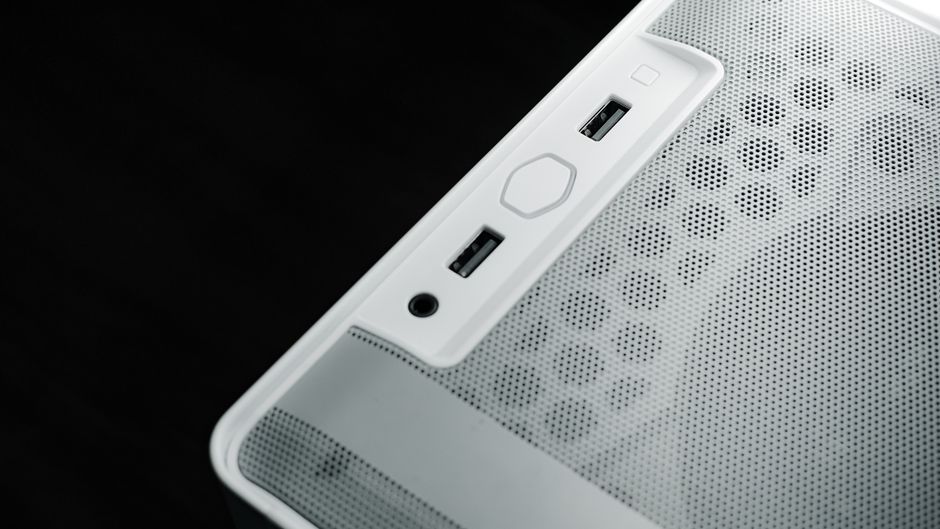
A Real Problem: Devices Randomly Dropping Off the Mesh
Worth including because it took me longer to diagnose than it should have. A handful of Aqara sensors would drop offline for a few hours at a time, seemingly at random, then reconnect on their own with no obvious pattern - not a mesh-coverage problem, since the affected devices were close to mains-powered routers. The actual cause turned out to be a Zigbee channel overlapping with my router’s 2.4GHz Wi-Fi channel, something I hadn’t deliberately set when I first paired everything. Moving to a channel in the gap between standard Wi-Fi channels (the same fix covered properly in our Zigbee2MQTT setup guide) stopped it completely. The frustrating part in hindsight is that the fix took five minutes once diagnosed correctly, but the diagnosis itself took weeks of assuming it was a mesh-coverage or interference problem from something else in the house.
Automations That Actually Get Used
Being honest about which automations survive past the first excited week is more useful than listing everything I’ve ever built. These are the ones still running, unmodified, months later:
- Leaving-home routine - lights off, heating to eco, front door lock confirmed - triggered by the last phone leaving a geofence, not the first
- Water leak escalation - the Node-RED flow described in our Node-RED setup guide is a direct copy of what’s actually running under my kitchen sink
- Adaptive lighting - colour temperature shifting through the day automatically, which sounds like a gimmick until you notice how much less jarring evening lighting feels once you’re used to it
Automations That Didn’t Survive
Equally honest: a presence-based automation using only phone Wi-Fi connection as a trigger got abandoned within a month, because phones sleeping their Wi-Fi radio to save battery made “are they home” unreliable enough to be actively annoying rather than useful. Switching to the combined phone-location-plus-motion-sensor approach covered in our presence detection guide fixed it - a good example of a first attempt failing for a genuinely instructive reason rather than the idea being wrong.
What This Actually Costs to Run
In the interest of being genuinely honest rather than pretending this is a completely free way to run a smart home: the mini PC draws roughly 8-10W idle, which works out to somewhere around £15-20 a year at typical UK electricity rates for running 24/7 - trivial compared to the heating and lighting it’s controlling, but not literally zero. I also pay for Nabu Casa’s cloud connection, a small monthly subscription that handles secure remote access and voice assistant integration without me having to open ports on my router or maintain my own dynamic DNS and reverse proxy setup myself. It’s optional - the local-only alternative works fine and costs nothing - but for me the convenience is worth the modest fee, and it felt worth admitting that the “no subscriptions” reputation Home Assistant has isn’t quite the same as “no possible ongoing costs at all” if you value the conveniences a small subscription buys.
What I’d Do Differently
- Buy the Zigbee coordinator dongle before the sensors - I bought a batch of sensors first and only set up Zigbee2MQTT properly afterwards, which meant re-pairing everything rather than doing it once, in order
- Set up backups from day one - it took losing a few weeks of automation history to a corrupted SD card before backups became a standing habit rather than an occasional afterthought; see our backup and restore guide for the setup I now run from the start on any new install
- Not chase every new integration - the genuinely useful automations are a small handful used daily, not the large number I experimented with early on and quietly stopped touching
Frequently Asked Questions
Is this setup overkill for a normal household?
For a lot of households, genuinely yes - if a Google Home or Alexa routine covers what you need, there’s no obligation to go further. This setup reflects a specific preference for local control and no subscriptions, not a universal recommendation that everyone needs this level of complexity.
What would you recommend as a starting point if you were setting up from scratch today?
Home Assistant Green or a Raspberry Pi 5, a single Zigbee coordinator dongle bought before any sensors, and starting with just water leak detection and one or two genuinely annoying daily tasks (not “everything at once”) - the mistakes above were almost all about doing too much too early rather than choosing the wrong hardware.
If you’re just getting started, our Home Assistant beginner’s guide is the right place to begin rather than trying to replicate this setup directly.
Related guides
 GUIDE
GUIDE
Should You Put Smart Home Devices on a Separate VLAN? A UK Guide
Every smart home device on your network is, from a security standpoint, a small computer running…
 GUIDE
GUIDE
Setting Up a Mosquitto MQTT Broker for Home Assistant
MQTT is the lightweight messaging protocol sitting quietly underneath a huge amount of the smart home…
 GUIDE
GUIDE
Home Assistant Scenes, Scripts and Automations: What’s the Difference?
Home Assistant gives you three separate tools that all sound like they could do the same…