Building a Presence-Detection Automation That Actually Works
Why a single phone location trigger isn't reliable enough, and how to combine geofencing, door sensors and motion to build one that holds up.
Contents
- Why a Single Signal Isn’t Enough
- Alternative Signals: Router-Based and Bluetooth Presence Detection
- Building It: Combining Geofence, Door Sensor and Motion
- Handling the Reverse: Arriving Home Reliably
- Adjusting Sensitivity for Your Own Household
- Troubleshooting False “Away” Triggers
- Testing Your Presence Automation Before Trusting It
- Frequently Asked Questions
- Does this work if a household member doesn’t have a smartphone or doesn’t want location tracking?
- Does this drain phone battery noticeably?
“Turn the heating down when everyone’s left” sounds like a simple automation until you actually try to build it - a single phone’s GPS location isn’t reliable enough on its own, and “car’s on the drive but nobody’s walked inside yet” trips up more naive presence automations than almost anything else in Home Assistant. Here’s how to build one that actually holds up in daily use.
Why a Single Signal Isn’t Enough
- Phone GPS/geofencing alone - reliable for “has left the general area” but has a real dead zone right around home, since phones vary in how tightly they define the geofence boundary, and battery-saving settings can delay location updates by several minutes
- Wi-Fi connection alone - phones sleep their Wi-Fi radio to save battery, so “device disconnected from home Wi-Fi” can trigger falsely while someone’s still very much at home, just not actively using data
- A single door sensor alone - tells you a door opened, not whether someone then actually left or just fetched something from the car
The fix is combining two or more of these so each one covers the other’s weak point, rather than relying on any single signal in isolation.
Alternative Signals: Router-Based and Bluetooth Presence Detection
Phone geofencing isn’t the only way to detect presence, and it’s worth knowing the alternatives even if the combined approach below works for most households. A router-based device tracker integration checks whether your phone’s MAC address is currently connected to your home Wi-Fi, which sidesteps GPS accuracy issues entirely but has its own weakness: it only knows “connected to this Wi-Fi network somewhere,” not which room, and a phone that drops Wi-Fi to save battery can produce the same false “away” signal that plain Wi-Fi-connection tracking has. Bluetooth Low Energy (BLE) presence, using something like an ESPHome-flashed BLE proxy device in each room, goes further and can tell you which room a phone (or a dedicated BLE tag) is actually in, which is genuinely useful for room-level automations but is a bigger project to set up than anything covered here. For a typical whole-house “is anyone home” automation, the geofence-plus-motion combination below is the best effort-to-reliability trade-off; room-level BLE is worth exploring later if you want automations that follow you between rooms specifically.
Building It: Combining Geofence, Door Sensor and Motion
- Set up person tracking via the Home Assistant Companion App on every household member’s phone, with a Zone defined around your home address (Settings → People, and Settings → Areas & Zones)
- Create a group helper that combines all household members’ “home/away” states into a single “anyone home” status, rather than writing separate logic per person
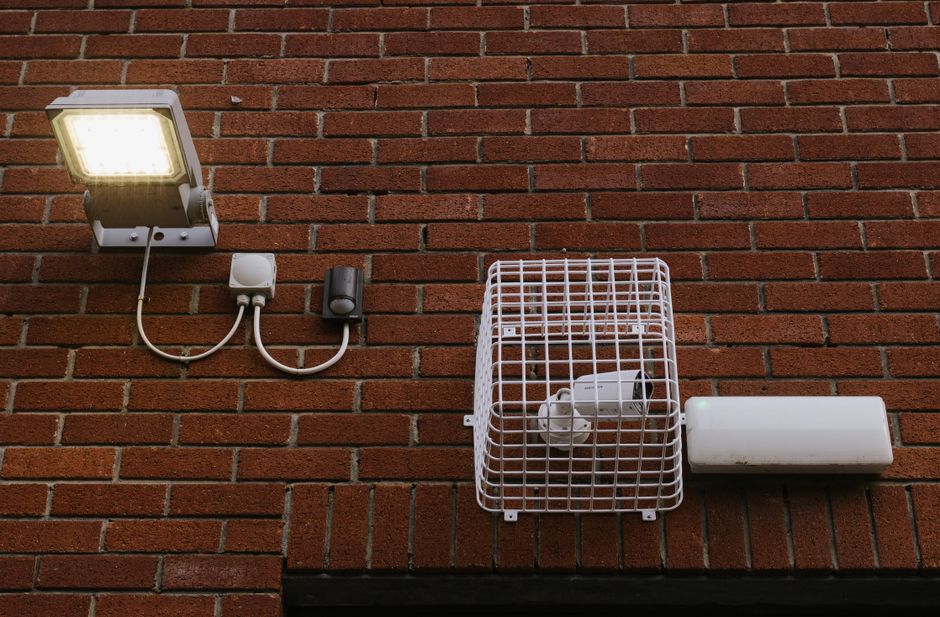
- Add a front door contact sensor and a hallway motion sensor if you don’t already have them - these confirm actual movement through the house, not just a phone’s location
- Build the automation trigger as: the “anyone home” group changes to “away” AND no motion has been detected in the hallway for the last 5 minutes - the motion condition specifically filters out the “car’s on the drive, phone’s technically left the tight geofence, but someone’s still walking around inside” false positive
Handling the Reverse: Arriving Home Reliably
Arriving-home automations generally need less combined logic than leaving-home ones, since a false “arrived” trigger is far less disruptive than a false “left” one (heating turning on a few minutes early costs little; heating switching off while someone’s still home is the annoying failure mode). A geofence-based “first person arrives” trigger, without needing the motion-sensor confirmation, is usually reliable enough on its own for the arrival direction.
Adjusting Sensitivity for Your Own Household
The 5-minute motion delay above is a starting point, not a fixed rule - a household that regularly has someone reading quietly on a sofa with no hallway motion for long stretches will need either a longer delay or an additional sensor in a room people actually sit still in, rather than relying purely on hallway motion. Watch your automation’s trace history for the first few weeks and adjust the delay if it’s firing while someone’s clearly still home.
Troubleshooting False “Away” Triggers
- A pet setting off the hallway motion sensor - either reposition the sensor higher and angled downward less steeply so it’s less likely to catch a cat or dog at floor level, or switch to a pet-immune PIR sensor model, which uses a different detection pattern specifically to ignore smaller/lower movement
- Group helper set to “all must be away” when it should be “last person leaves” - double-check the group helper’s logic matches what you actually want; a household of two where one person works from home some days needs the automation to only fire when the last tracked person leaves, not when the first one does
- A phone left charging in a room and its owner walks around without it - geofencing tracks the phone’s location, not the person’s; if someone regularly leaves their phone in one spot, the automation will read as if they’re standing still there even while they’re moving around the rest of the house
- Router-based tracking flapping between connected/disconnected - if using a router-based device tracker alongside or instead of geofencing, a busy 2.4GHz network can cause a phone to briefly drop and reconnect; adding a short “stay away for at least 2 minutes” delay to the trigger filters out this kind of flapping
Testing Your Presence Automation Before Trusting It
Don’t wait for a real trip out to find out whether it works. Use the automation’s trace/history view to check what the “anyone home” group and motion sensor states actually looked like the last time you genuinely left and came back - this shows you real data rather than a guess about timing. If the trace shows motion still being detected several minutes after everyone had actually left (a pet setting off a motion sensor, for instance), that’s a sign the delay needs lengthening or the motion sensor needs repositioning, not that the whole approach has failed.
Frequently Asked Questions
Does this work if a household member doesn’t have a smartphone or doesn’t want location tracking?
Yes, with a caveat - the “anyone home” group logic can be built around motion and door sensors alone for a household member without a tracked phone, though it becomes harder to distinguish “definitely out” from “definitely home but not moving much” without the geofence signal to lean on.
Does this drain phone battery noticeably?
The Home Assistant Companion App’s location tracking is designed to be battery-efficient using the same geofencing APIs as other location-based apps, and most users don’t notice a meaningful difference - it’s a background OS-level geofence check rather than continuous active GPS polling.
Once presence detection is working reliably, it pairs naturally with the dashboard overview tab, showing at a glance whether the “anyone home” group is currently true or false.
Related guides
 GUIDE
GUIDE
Should You Put Smart Home Devices on a Separate VLAN? A UK Guide
Every smart home device on your network is, from a security standpoint, a small computer running…
 GUIDE
GUIDE
Setting Up a Mosquitto MQTT Broker for Home Assistant
MQTT is the lightweight messaging protocol sitting quietly underneath a huge amount of the smart home…
 GUIDE
GUIDE
Home Assistant Scenes, Scripts and Automations: What’s the Difference?
Home Assistant gives you three separate tools that all sound like they could do the same…