Smart Home Hubs UK: Which Platform Should You Actually Build On?
Comparing the best smart home hubs available in the UK in 2026 - Home Assistant, Homey Pro, Amazon Alexa, Apple HomeKit and Google Home. Which platform should you build your smart home on?
Contents
- What a Hub Actually Does, Technically
- Quick Comparison
- Home Assistant - Best for Power Users
- Pros
- Cons
- Homey Pro - Best All-Rounder with a UI
- Pros
- Cons
- Amazon Alexa (Echo) - Best for Voice-First Casual Use
- Pros
- Cons
- Google Nest Hub - Best for Google Ecosystem Users
- Pros
- Cons
- Apple HomePod mini - Best for Apple Users
- Pros
- Cons
- Samsung SmartThings - Best for Wide Device Compatibility
- Pros
- Cons
- Which Hub Should You Choose?
- Frequently Asked Questions
- Do I need a smart home hub?
- What’s the difference between Alexa and a smart home hub?
- Does Matter replace the need for a hub?
- Can I run more than one hub at the same time?
- What happens to my automations if I switch hubs later?
- Related Guides
Choosing a smart home hub is one of the most important decisions you’ll make when building a smart home - arguably more important than any individual device. The hub is the brain: it’s what your lights, sensors, thermostats, and cameras report to, what runs your automations, and what you talk to when you ask your home to do something.

Get this choice right and adding new devices is straightforward. Get it wrong and you end up locked into an ecosystem that limits what you can do, or reliant on a manufacturer’s cloud that could disappear tomorrow. Here’s how the main options stack up for UK buyers in 2026.
What a Hub Actually Does, Technically
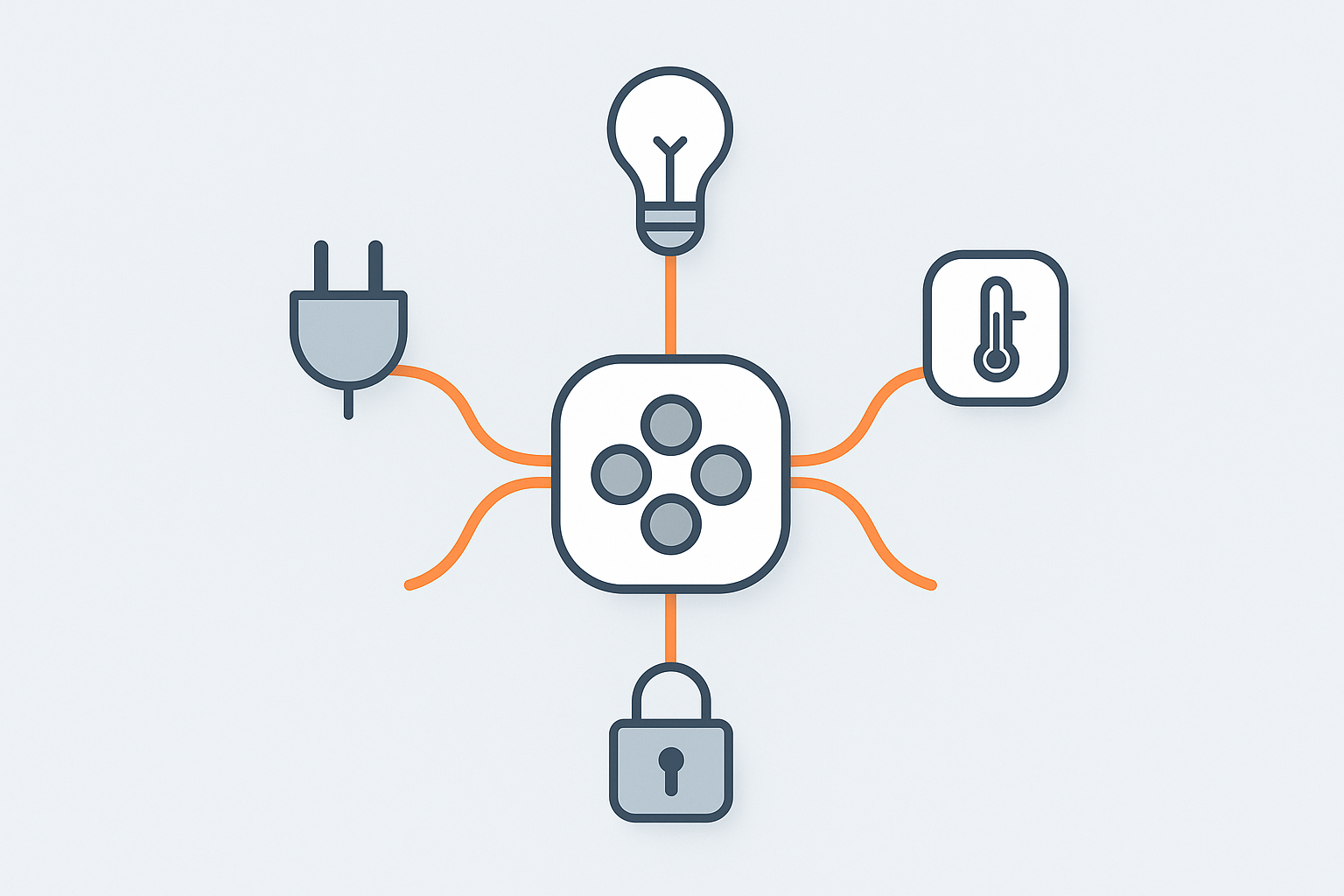
Two things separate a genuine hub from a device that merely “supports smart home features.” First, protocol translation: your Wi-Fi router already lets Wi-Fi devices talk to your phone, but a Zigbee bulb, a Z-Wave lock or a Thread sensor need a coordinator/radio that speaks their specific low-power mesh protocol and bridges it back to your network - that coordinator function is exactly what Home Assistant (with an add-on radio), Homey Pro, or a Thread border router like HomePod mini provide, and what a plain Wi-Fi-only device like a basic Echo Dot can’t do at all. Second, and just as important: where automation logic actually executes. A “local” hub runs the trigger/condition/action logic for your automations on the device itself, in your house, so it keeps working with no internet connection. A cloud-dependent hub sends every sensor event out to a manufacturer’s server, waits for a decision, and sends the command back - which is why an internet outage can mean your motion-activated hallway light stops working even though the sensor, the bulb and the hub are all sitting in the same room.
Quick Comparison
| Hub | Best For | Price | Local Control |
|---|---|---|---|
| Home Assistant | Power users, maximum flexibility | £95 (Green) or free software | Full |
| Homey Pro | Best all-rounder with a UI | £399 | Full |
| Amazon Echo (Alexa) | Voice-first, casual users | £35-£99 | Partial |
| Google Nest Hub | Google ecosystem users | £79-£229 | Partial |
| Apple HomePod mini | Apple ecosystem users | £99 | Good (HomeKit local) |
| Samsung SmartThings | Wide device compatibility | Free app + optional hub | Partial |
Home Assistant - Best for Power Users
Home Assistant is open-source software that runs on your own hardware and integrates with over 3,000 smart home devices and services. It’s the most powerful smart home platform available - and it’s completely free to run on your own hardware, with no ongoing subscription and no reliance on any company’s cloud.
The easiest way to get started in the UK is the Home Assistant Green - a small, purpose-built device that costs around £95 and comes pre-loaded with Home Assistant OS. Plug it in, connect to your network, and you’re running a local smart home controller within minutes. Worth knowing if you’ve read about the Home Assistant Yellow elsewhere: Nabu Casa discontinued it in October 2025, and now officially recommends the Green plus their own USB Zigbee dongle (the ZBT-2) as the standard combination instead - it’s no longer a current option to buy new. The Green doesn’t include a Zigbee or Z-Wave radio by default, so budget for that USB coordinator (covered in our Zigbee2MQTT setup guide) alongside the hub itself if you’re building out a mesh.
Home Assistant’s key strengths: everything runs locally, your automations work even if your internet goes down, and no manufacturer can remove features or shut down the service. The community is enormous and the add-on ecosystem covers everything from energy monitoring to AI voice assistants. For a full start-to-finish walkthrough once you’ve decided this is the route for you, see our complete Home Assistant guide.
The honest caveat: the learning curve is real. Home Assistant is not a plug-and-play system for non-technical users. Setting it up properly takes time and some willingness to follow documentation. But for those who invest the time, it’s transformatively more capable than any commercial hub.
This is the hub we actually run: a Home Assistant Green has been the centre of our own setup for over a year now, with a handful of motion sensors and Hue lights connected to it. The honest first-week experience matches the caveat above - it’s genuinely not plug-and-play, and budgeting an evening or two to get comfortable with the UI and terminology before it clicks is realistic, not just a disclaimer. Once past that, the reliability has been the standout part: automations keep running exactly as expected through router reboots and internet dropouts, which is the whole point of local control and the thing that’s hardest to appreciate until you’ve actually lived with a cloud-dependent hub failing during an outage first.
Pros
- Over 3,000 integrations - by far the widest device support
- 100% local control - no cloud dependency
- Free software, no subscription
- Extremely powerful automation engine
- Active development and community
- Works as a Matter controller and Zigbee coordinator (with add-on hardware)
Cons
- Steeper learning curve than commercial alternatives
- UI requires setup - not intuitive out of the box
- Some integrations need more maintenance than commercial equivalents
Best for: Anyone who wants maximum flexibility and control, is comfortable with technology, and plans to build a serious smart home over time. Once set up properly, it’s the most capable and reliable platform available.
Price: Home Assistant Green around £95. Check on Amazon UK.
Homey Pro - Best All-Rounder with a UI
Homey Pro occupies an interesting position: it offers most of the flexibility of Home Assistant but with a far more polished, consumer-friendly interface. It supports Zigbee, Z-Wave, Matter, Wi-Fi, Bluetooth, and Infrared from one device - a genuinely impressive hardware specification, meaning the radios most other hubs need as separate add-on dongles are built directly into this one unit - and its flow-based automation system is powerful enough for complex automations while being accessible to non-developers.
All processing happens locally. No cloud subscription is required for core features (though some third-party apps may have their own requirements). The Homey app is well-designed and the device catalogue - available through the Homey App Store - covers most UK smart home products.
At £399 it’s a significant investment, but if you want local control, broad compatibility, and a good interface without the Home Assistant learning curve, Homey Pro is the best option in the UK in 2026.
Pros
- Supports Zigbee, Z-Wave, Matter, Wi-Fi, Bluetooth and IR in one device
- Excellent flow-based automation builder
- Fully local - no cloud required
- Polished app and interface
- Good UK device support
Cons
- Expensive - £399 is a significant outlay
- Fewer integrations than Home Assistant
- Community smaller than Home Assistant
Price: £399. Check on Amazon UK.
Amazon Alexa (Echo) - Best for Voice-First Casual Use
If your primary use case is voice control - “Alexa, turn on the lights” - and you’re not planning a complex automation setup, an Amazon Echo is the simplest and cheapest entry point. The Echo Dot (around £35) works as a basic hub for Alexa-compatible devices, and with Matter support now built in, it can also act as a Matter controller.
Alexa’s main limitation is cloud dependency: your automations require Amazon’s servers, which means they won’t work during an internet outage, and you’re reliant on Amazon continuing to support the product. Amazon has also been known to deprecate features - the local voice processing that was promised for some Echo devices was quietly removed. For a casual user who just wants voice control for lights and heating, it’s fine. For anyone building a serious smart home, it shouldn’t be the foundation.
Pros
- Cheapest entry point
- Excellent voice recognition
- Works with most smart home brands
- Matter controller support
Cons
- Cloud-dependent - needs internet for most functions
- Amazon can remove or change features
- Automation capabilities limited compared to Home Assistant or Homey
- Privacy concerns with always-on microphone
Price: Echo Dot from £35. Check on Amazon UK.
Google Nest Hub - Best for Google Ecosystem Users
The Google Nest Hub range sits in a similar position to Alexa - a voice-first, cloud-connected hub rather than a full local automation platform - but with the addition of a screen on most models, useful for a wall-mounted or kitchen-counter dashboard showing camera feeds, routines and the day’s weather at a glance without needing to speak a command first. Matter support is built in on current models, letting it act as a Matter controller alongside its native Google Home integration, and it works well as the centre of a household already using Google Photos, Google Calendar and Android phones.
Like Alexa, its automation logic (Google Home routines) runs through Google’s cloud rather than locally, so the same internet-outage caveat applies, and its routine-based automation system is noticeably less flexible than Home Assistant’s or Homey’s trigger/condition/action model once you want anything beyond straightforward “if this then that” logic - our Google Home routines guide covers what it can and can’t do.
Pros
- Screen on most models, useful for glanceable dashboards and camera feeds
- Matter controller support
- Tight Google ecosystem integration (Photos, Calendar, Android)
Cons
- Cloud-dependent automations, same internet-outage limitation as Alexa
- Routine-based automation less flexible than a proper hub’s trigger/condition/action model
Price: £79-£229 depending on model. Available from Google Store UK and major UK retailers.
Apple HomePod mini - Best for Apple Users
For households deeply committed to Apple devices, the HomePod mini is the cleanest HomeKit hub available. At £99 it provides Apple Home control, acts as a Thread Border Router for Matter over Thread devices, and processes Siri requests locally with better privacy than Alexa.
HomeKit’s automation capabilities are more limited than Home Assistant or even Alexa in some respects, but the integration with iPhone, iPad, Apple Watch, and Shortcuts is seamless. If you’re an iPhone user who wants reliable, private smart home control without any complexity, the HomePod mini is the right hub.
Pros
- Tight Apple ecosystem integration
- Thread Border Router built in
- Local processing, strong privacy
- Siri voice control
Cons
- Apple ecosystem only - won’t help Android users
- HomeKit device selection smaller than Alexa or Google
- Automation builder less powerful than Home Assistant
Price: £99. Available from Apple UK and Amazon UK.
Samsung SmartThings - Best for Wide Device Compatibility
SmartThings works two ways: as a free app that controls Wi-Fi and Matter devices with no dedicated hardware at all, or, for Zigbee/Z-Wave support, alongside a separate SmartThings hub or a Samsung device with one built in (some Samsung smart TVs and fridges include SmartThings hub functionality). This makes it a genuinely flexible middle ground - broad device compatibility across brands without necessarily needing another box on the shelf, provided you’re happy with Wi-Fi/Matter-only coverage or already own compatible Samsung hardware.
Automation runs primarily through Samsung’s cloud rather than fully locally (SmartThings has offered limited local execution for some routines, but it’s not a like-for-like replacement for Home Assistant’s fully local model), and the app’s automation builder, while reasonably capable, is aimed more at typical households than power users chaining complex conditional logic.
Pros
- Free to start, no dedicated hardware required for Wi-Fi/Matter devices
- Wide brand compatibility, especially strong with Samsung’s own appliance range
- Reasonably capable automation builder for typical household use
Cons
- Zigbee/Z-Wave needs a separate hub or compatible Samsung device
- Cloud-dependent for most automation, not a fully local platform
- Automation builder less powerful than Home Assistant or Homey for complex logic
Price: Free app. Dedicated hubs and hub-equipped Samsung devices vary in price - check current UK Samsung and retailer listings.
Which Hub Should You Choose?
The right hub depends entirely on your priorities:
- Maximum flexibility and local control: Home Assistant (budget £95 for the Green)
- Local control with a better out-of-box experience: Homey Pro (budget £399)
- Simplicity and voice-first use: Amazon Echo (budget £35+)
- Apple household: HomePod mini (budget £99)
- Google household: Google Nest Hub (budget £79)
- Already own Samsung appliances, or want free Wi-Fi/Matter-only coverage: Samsung SmartThings (free app)
If you’re starting from scratch with serious intentions, our strong recommendation is Home Assistant. The initial setup investment pays off enormously over time - and unlike every commercial option, it won’t get worse because a company decided to cut costs or change business model. It’s the only platform here that is entirely under your control.
Frequently Asked Questions
Do I need a smart home hub?
Not necessarily. Many smart home devices - especially Wi-Fi based ones like Tapo plugs and Echo devices - work perfectly well without a central hub. A hub becomes valuable when you want to connect devices from different brands, use local processing (faster automations, works without internet), or build more complex automation routines. If you’re just getting started, you can skip the hub and add one later.
What’s the difference between Alexa and a smart home hub?
Alexa is a voice assistant that can control smart home devices - it’s not a hub in the traditional sense. A proper hub like Home Assistant or Homey Pro actively coordinates devices, runs automations locally, and connects protocols like Zigbee and Z-Wave that Alexa can’t handle natively. Alexa is great for voice control; a hub is for deeper integration and local automation.
Does Matter replace the need for a hub?
Matter simplifies device compatibility - devices certified for Matter work across Apple Home, Google Home, Alexa, and SmartThings without separate bridges. But it doesn’t replace a hub for advanced automations or for integrating older Zigbee/Z-Wave devices. Home Assistant supports Matter and can still act as a central hub for everything else.
Can I run more than one hub at the same time?
Yes, and many households do without realising it - a HomePod mini for Apple Home alongside an Echo for Alexa voice control, for instance, or Home Assistant integrated with Google Home for voice while Home Assistant itself handles the actual automation logic. Matter’s multi-admin capability specifically makes this cleaner than it used to be, letting one device be controlled from multiple ecosystems simultaneously without conflicting - see our Matter multi-admin guide for how that works in practice.
What happens to my automations if I switch hubs later?
They don’t transfer automatically - automation logic is generally tied to the platform it was built on, so switching from, say, Alexa routines to Home Assistant means rebuilding your automations from scratch on the new platform, even though most of your individual devices (particularly Matter and Zigbee ones) can be re-paired without buying new hardware. This is a genuine reason to think carefully about hub choice upfront rather than treating it as an easily-reversible decision once you’ve built out more than a handful of automations.
Related Guides
Related guides
 GUIDE
GUIDE
Homebridge: Bringing Non-HomeKit Devices into Apple Home
Apple’s smart home ecosystem is genuinely good once everything is in it - one app, real…
 GUIDE
GUIDE
Smart Home Gear That Actually Works in a Small Flat or Shared House (UK)
What to buy for communal areas vs your own room in a house share, and how…
 GUIDE
GUIDE
Smart TVs and Streaming Boxes for a Connected Home: UK Picks
Apple TV, Fire TV Stick and Chromecast compared for how well each plugs into your existing…