Kitting Out a Smart Home Office: UK Devices Worth It
Adaptive desk lighting, an air quality monitor for a stuffy box room, and a heating zone that doesn't warm the whole house - smart tech for working from home.
Contents
- Lighting That Actually Helps on Video Calls
- Air Quality: The Underrated Home Office Problem
- Heating One Room Without Heating the Whole House
- Keeping the Internet Connection Reliable
- Smart Plugs for Equipment
- A UK Insurance Point Worth Checking
- A Simple “Start Work” / “End Work” Routine
- Who Doesn’t Need to Bother With Any of This
- What This Setup Typically Costs
- Quick Setup Checklist
- Frequently Asked Questions
- Is it worth buying a dedicated “smart office” product?
- What’s the single highest-impact change for video calls specifically?
- Does my home contents insurance cover home office equipment?
- What colour temperature should office lighting actually be?
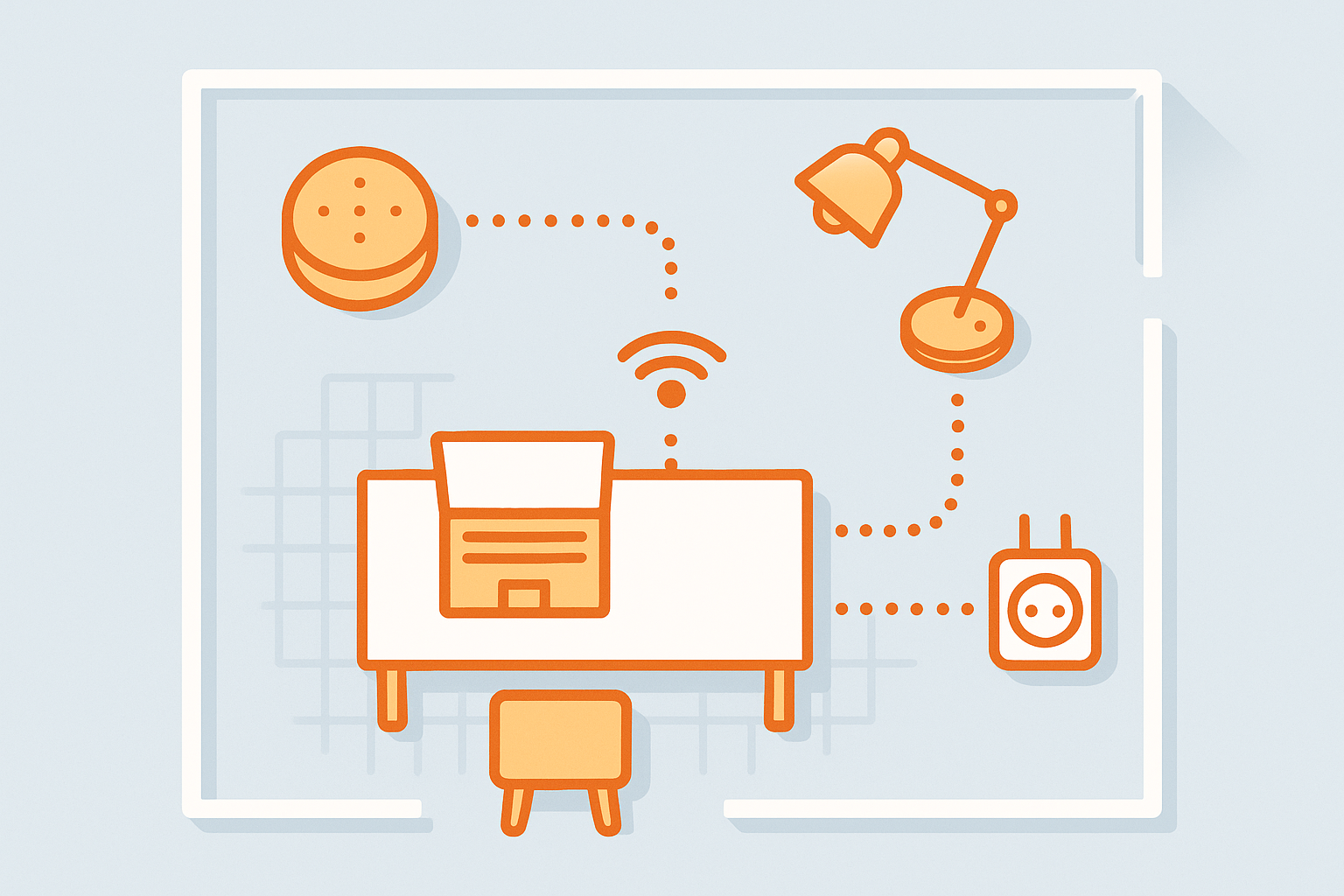
A home office is usually the one room in the house with its own set of problems: it’s the box room that gets stuffy by mid-afternoon, the spare room that’s either freezing or roasting depending on whether the rest of the house needs heating, and the desk that’s badly lit for video calls. None of this needs a dedicated “smart office” product line - it’s mostly existing smart home categories applied to one specific room with more intention.
Lighting That Actually Helps on Video Calls
Overhead room lighting is rarely flattering on camera, and desk lamps are often too warm or too dim. A tuneable white smart bulb (see our smart bulb guide) set to a cooler, brighter tone for work hours and warmer for evenings is a cheap fix - schedule it so the office automatically switches to “call lighting” during typical working hours and back to something more relaxed after. A cheap ring light or a second lamp positioned behind the camera (rather than only overhead) removes the harsh under-lit look that a single ceiling bulb tends to create on video calls.
In practical terms: aim for a smart bulb set around 4000-5000K (a “cool white” rather than the 2700K “warm white” most living-room bulbs default to) at roughly 400-500 lux measured at head height for video calls - noticeably brighter and crisper than typical room lighting, which usually sits closer to 150-300 lux. Most tuneable bulbs and their apps show a rough lux estimate or let you preview the colour temperature directly, so you can dial this in without needing a separate light meter.
Air Quality: The Underrated Home Office Problem
Small rooms with a door kept shut for calls build up CO2 surprisingly fast, and it’s a real contributor to the early-afternoon slump that isn’t just “needing a coffee.” An air quality monitor (see our full comparison) sat on a shelf in the office gives you an actual CO2 reading rather than a guess, and most link to smart plugs so you can automate an extractor fan or purge the room with a scheduled reminder to open the window.
Heating One Room Without Heating the Whole House
If your home office doesn’t get its own heating zone, a smart radiator valve on just that room’s radiator (our TRV guide covers the main options) lets you schedule that one room to warm up 20 minutes before your working day starts, independent of the rest of the house’s heating schedule - genuinely useful if you’re the only one home during the day and don’t want to heat empty rooms elsewhere. Over a working year, heating a single 3x3m box room to a comfortable temperature rather than the whole house is a meaningful saving compared with running the main heating system on a “just in case someone’s cold” basis.
Keeping the Internet Connection Reliable
A frozen video call because the router’s Wi-Fi radio has quietly hung is a common and entirely fixable annoyance. A basic smart plug on the router (check it doesn’t also power anything else that needs to stay on) lets you schedule an automatic reboot overnight, or trigger one remotely from your phone if a call is about to start and the connection feels sluggish - far faster than walking to the cupboard the router lives in. If reliability is a recurring issue rather than an occasional one, it’s worth checking your router’s placement and signal strength before assuming a scheduled reboot is the whole fix.
Smart Plugs for Equipment
Monitors, docking stations, and desk equipment left on standby add up over a working year. A smart plug (or a smart power strip covering several items behind the desk) with a scheduled off-time after your typical working hours removes the “did I turn everything off” question entirely - see our smart plug comparison for models with per-socket energy monitoring, which is useful for seeing exactly what your home office setup actually costs to run.
A UK Insurance Point Worth Checking
If your home office has meaningfully expensive equipment - a second monitor, specialist gear, business stock - it’s worth checking your standard contents insurance policy actually covers it. Many UK home insurance policies cap cover for “business equipment” lower than general contents, or exclude it entirely if you’re running a registered business from home rather than just working remotely for an employer, and this is easy to overlook since it has nothing to do with the smart home devices themselves. A quick call or policy check is worth doing once, rather than discovering the gap after a claim.
A Simple “Start Work” / “End Work” Routine
However you’ve split your devices across brands, a single voice routine (see our Alexa or Google Home routines guides) that turns on office lighting, nudges the room’s heating on, and switches equipment plugs on together removes the daily friction of doing it device by device. An “end work” routine reversing all of it is just as useful for actually clocking off, which matters more than it sounds when your office is also somewhere in your house you live.
Who Doesn’t Need to Bother With Any of This
If you’re only occasionally working from a laptop at the kitchen table rather than using a dedicated room daily, most of this is overkill - a single tuneable lamp for calls is genuinely useful on its own, but a full heating zone and air quality monitor setup makes far more sense for someone spending 30+ hours a week in the same room with the door shut than for occasional or hybrid home working.
What This Setup Typically Costs
| Item | Typical Price | Optional? |
|---|---|---|
| Tuneable white smart bulb (1-2) | £15-30 each | Core |
| Smart plug for router/equipment (2-3) | £10-20 each | Core |
| Smart radiator valve (1 room) | £40-60 | Recommended if room isn’t separately zoned |
| Air quality monitor | £60-110 | Optional but genuinely useful |
Quick Setup Checklist
- Tuneable white bulb or lamp for the desk, scheduled cooler/brighter during working hours
- Air quality monitor to catch CO2 build-up in a closed-door office
- Smart TRV or plug-in heater control for single-room heating independent of the rest of the house
- Smart plug or power strip for equipment, scheduled off outside working hours
- A router smart plug for a scheduled or on-demand reboot
- One combined “start work” / “end work” voice or scheduled routine
Frequently Asked Questions
Is it worth buying a dedicated “smart office” product?
Generally no - most of what makes a home office comfortable is existing smart home categories (lighting, heating, plugs, air quality) pointed specifically at one room, rather than a distinct product category of its own.
What’s the single highest-impact change for video calls specifically?
Lighting positioned in front of you rather than only overhead or behind - a cheap desk lamp or ring light facing you makes a bigger visible difference on camera than any webcam upgrade.
Does my home contents insurance cover home office equipment?
Not always automatically - many UK policies cap or exclude cover for business-related equipment, particularly if you’re self-employed rather than remote-working for an employer. Worth a quick check with your insurer rather than assuming standard contents cover extends to everything on your desk.
What colour temperature should office lighting actually be?
Around 4000-5000K for daytime work and video calls - cooler and crisper than the 2700K warm white most living spaces use - switching back to something warmer in the evening if the room doubles as anything else once the working day ends.
None of this requires buying an entirely new ecosystem - it’s mostly about pointing devices you might already have (or the ones in our other buying guides) specifically at the room where you spend the working day.
Related guides
 GUIDE
GUIDE
Setting Up Automations in the Apple Home App: A Complete UK Guide
The Apple Home app has quietly become a genuinely capable automation platform, not just a remote…
 GUIDE
GUIDE
Smart Home Gear That Actually Works in a Small Flat or Shared House (UK)
What to buy for communal areas vs your own room in a house share, and how…
 GUIDE
GUIDE
Smart TVs and Streaming Boxes for a Connected Home: UK Picks
Apple TV, Fire TV Stick and Chromecast compared for how well each plugs into your existing…