Wi-Fi Mesh Systems for a Smart Home: UK Options Compared
A smart home is only as reliable as the Wi-Fi underneath it. Here's which mesh systems handle dozens of devices well - and which double as a Thread border router.
Contents
- Why Mesh Matters More With a Smart Home
- What Actually Determines Mesh Performance (Not Just the Marketing Numbers)
- A Note for UK ISP Routers: Modem Mode Matters
- Quick Comparison
- Best for Alexa Households: Amazon eero
- Best for Google Home Households: Nest Wifi Pro
- Best Budget Option: TP-Link Deco
- Best for Advanced Networking: Asus ZenWiFi
- Setting Up a Separate Network for Smart Devices
- When You Don’t Need Mesh At All
- Frequently Asked Questions
- How many mesh units do I actually need?
- Will replacing my router with a mesh system break my existing smart home devices?
- Is wired backhaul really worth the hassle of running Ethernet cable?
- Do I need tri-band, or is dual-band good enough?
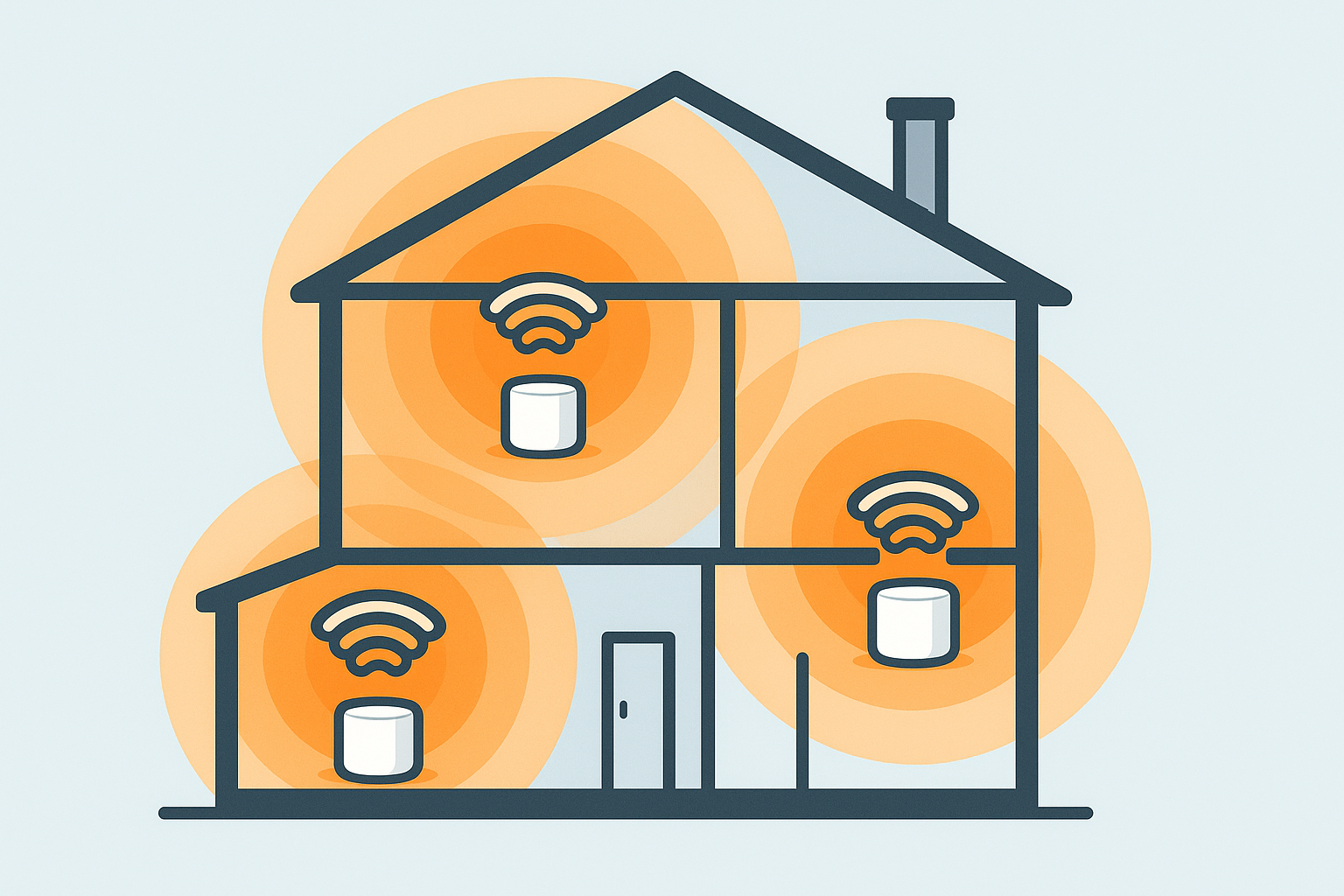
A smart home with thirty-plus connected devices puts real strain on a single router, especially an older ISP-supplied one tucked in a hallway cupboard. Weak Wi-Fi doesn’t just mean buffering video - it means smart locks that respond slowly, cameras that drop connection, and automations that silently fail because a device couldn’t reach the network in time. A mesh system, spreading Wi-Fi across two or three units rather than one router, is one of the more underrated smart home upgrades - but the four options below differ more than a glance at their price tags suggests, and the difference genuinely changes which one is right for your house.
Why Mesh Matters More With a Smart Home
Beyond just covering a bigger house, mesh systems matter for smart homes specifically because many now include a Thread border router built in - the piece of hardware that lets Thread-based Matter devices (many Eve, Nanoleaf and other next-generation sensors) join your network at all. Buying a mesh system with Thread support built in means you get both better Wi-Fi coverage and Matter/Thread infrastructure in one purchase, rather than needing a separate Thread border router device down the line.
What Actually Determines Mesh Performance (Not Just the Marketing Numbers)
Every mesh system’s box shouts a big theoretical speed number, which is close to useless for deciding between them. Three things actually determine how well a mesh system will perform in a real UK house:
- Backhaul type. This is the connection between your mesh nodes themselves, separate from the Wi-Fi your devices connect to. Wireless backhaul (the default on most consumer kits) shares airtime with your actual devices, which is why coverage degrades the further a node sits from the main router. A dedicated wired backhaul - running an Ethernet cable between nodes, which all four systems here support if you already have cabling or are willing to run it - removes this bottleneck entirely and is the single biggest performance upgrade available, more impactful than any spec bump.
- Tri-band vs dual-band. Tri-band systems (Nest Wifi Pro, Asus ZenWiFi, and eero Pro 6E) dedicate a separate 5GHz or 6GHz band purely to node-to-node backhaul traffic, so your devices aren’t fighting the mesh’s internal chatter for airtime. Dual-band systems (eero 6+, cheaper Deco models) share one band for both, which is fine for a smaller home but starts to show in a 30+ device smart home, particularly with several always-on cameras streaming.
- Wall construction. UK housing stock skews toward brick, block and stone internal walls rather than the timber-frame plasterboard common in newer builds elsewhere - these attenuate 5GHz and especially 6GHz signal far more than a US spec sheet’s open-plan test house implies. If your house is a pre-1990s brick semi or terrace with solid internal walls, budget for one extra node beyond what the box recommends for your square footage, or lean toward wired backhaul from the start.
A Note for UK ISP Routers: Modem Mode Matters
This trips up more UK buyers than any spec comparison: whether you can actually replace your ISP router with a mesh system cleanly depends on your provider. BT, Sky and TalkTalk routers generally support a proper modem/bridge mode that hands full control to your mesh system with minimal fuss. Virgin Media is the awkward one - its Hub routers (Hub 3, 4, 5) support “modem mode” but it’s known to be inconsistent, occasionally requiring a support call to fully enable, and even then some users report the Hub still intercepting some traffic. If you’re on Virgin Media, check current modem mode guidance for your specific Hub model before buying, or budget time for a call to their support line rather than assuming a five-minute swap.
Quick Comparison
| Product | Wi-Fi Standard | Backhaul | Thread Border Router | Typical Price | Best For |
|---|---|---|---|---|---|
| Amazon eero 6+/Pro 6E | Wi-Fi 6 / 6E | Dual-band (6+), Tri-band (Pro 6E) | Yes (select models) | £130-350 (2-3 pack) | Alexa households, simple setup |
| Google Nest Wifi Pro | Wi-Fi 6E | Tri-band | Yes | £180-330 (2-3 pack) | Google Home households, strong Matter support |
| TP-Link Deco (X50/BE85) | Wi-Fi 6 (X50), Wi-Fi 7 (BE85) | Dual-band (most), Tri-band (BE85) | Some models | £90-300 depending on model | Budget-friendly, wide range of sizes |
| Asus ZenWiFi | Wi-Fi 6 / 6E depending on model | Tri-band | No (most models) | £200-450 | Advanced networking features, gaming households |
Best for Alexa Households: Amazon eero
Eero (Amazon-owned) is one of the simplest mesh systems to set up, and several current models (the 6+ and Pro 6E in particular) include a built-in Thread border router and Zigbee radio, meaning they double as smart home infrastructure alongside Wi-Fi coverage. It integrates tightly with Alexa if that’s your voice assistant of choice, and the app makes adding additional nodes for a bigger house straightforward. Worth being specific here: the entry-level 6+ is dual-band and adequate for a typical 2-3 bedroom terrace or semi, while the Pro 6E steps up to tri-band with a dedicated 6GHz backhaul band, worth the price jump if you’re covering a larger or solid-walled house, or running enough cameras and streaming devices that airtime contention becomes noticeable.
- Pros: simplest setup process here, doubles as Thread border router and Zigbee hub on higher models, genuinely painless app-based node addition later
- Cons: deeper network customisation is more limited than Asus (no proper web admin interface, no VLAN support), tightest integration is specifically with Alexa, some advanced settings (like static routing) require the paid eero Plus subscription
Check Amazon eero on Amazon UK →Affiliate link
Best for Google Home Households: Nest Wifi Pro
Nest Wifi Pro bakes in a Thread border router across the whole range - not just the flagship model, unlike eero - making it a strong pick if you’re building a Google Home-centric smart home and want Matter-over-Thread devices to just work without a separate hub. Every unit is genuinely tri-band with a dedicated 6GHz backhaul, so coverage and speed stay consistent even in larger or solid-walled homes, and each unit doubles as a smart home hub, not just a Wi-Fi access point. The trade-off is that its deeper value is specifically tied to being in the Google ecosystem already - the Thread border router functionality works regardless of ecosystem, but the tightest automation integration assumes Google Home as your hub.
- Pros: Thread border router on every unit (not just select models), tight Google Home integration, consistent tri-band performance across the whole range with no cheaper dual-band variant to accidentally under-buy
- Cons: less useful if your household isn’t Google Home-centric already, app-only management like eero (no advanced web admin interface for network tinkering)
Check Nest Wifi Pro on Amazon UK →Affiliate link
Best Budget Option: TP-Link Deco
TP-Link’s Deco range covers everything from basic dual-band mesh kits to high-end Wi-Fi 7 models, generally at a lower price than eero or Nest Wifi Pro for comparable coverage. The range spans two genuinely different tiers worth distinguishing rather than treating “Deco” as one product: the X50 series is a solid, affordable Wi-Fi 6 dual-band mesh that covers a typical UK semi comfortably for well under eero pricing, while the newer BE85 steps up to Wi-Fi 7 with tri-band and a genuinely fast dedicated backhaul - overkill for most smart homes today, but a reasonable buy if you want headroom as Wi-Fi 7 devices become more common over the next few years. Thread support is more model-specific here than a given, so check the exact model if that’s a requirement rather than assuming the whole range includes it.
- Pros: widest range of price points and coverage sizes, generally cheapest for comparable coverage, the app (Deco/TP-Link Home) is genuinely straightforward for non-technical household members
- Cons: Thread support varies by specific model rather than being consistent across the range, entry-level X50 models are dual-band so backhaul performance is more sensitive to node placement than the tri-band options here
Check TP-Link Deco on Amazon UK →Affiliate link
Best for Advanced Networking: Asus ZenWiFi
If you want more granular network control - VLANs, detailed QoS settings, a proper web-based admin interface rather than an app-only one - Asus ZenWiFi is the more “prosumer” option of this group, at the cost of usually lacking the built-in Thread border router the other three offer. This matters specifically if you’re already planning to run smart home devices on a separate VLAN for security reasons - ZenWiFi is the only system here that supports that natively without third-party firmware, where the other three would need a separate router or switch handling VLAN tagging in front of them. A sensible trade if network configuration matters more to you than smart home infrastructure convenience, but genuinely the wrong pick if a built-in Thread border router is what you’re after.
- Pros: most granular network control of the four, proper web admin interface for advanced users, native VLAN support without third-party firmware
- Cons: most models lack a built-in Thread border router, priciest option of the four, the advanced feature set is genuinely wasted if you just want plug-and-play coverage
Check Asus ZenWiFi on Amazon UK →Affiliate link
Setting Up a Separate Network for Smart Devices
Most of these systems support a guest network or IoT-specific network, which is worth using for smart home devices specifically - see our VLAN separation guide for why network segmentation matters and how to set it up properly, including which of these four systems make that genuinely straightforward versus which need extra hardware to do it right.
When You Don’t Need Mesh At All
Worth being honest about this: a single-storey flat, a small 1-2 bedroom property, or a house where your existing router already reaches every room without dead spots doesn’t need mesh - a single decent Wi-Fi 6 router will do the job for less money, and the Thread border router functionality some of these systems offer can be had far more cheaply from a standalone device like an Apple TV, HomePod mini, or Eero-branded plug if that’s genuinely all you need it for. Mesh earns its cost specifically when you have dead spots, multiple floors, solid internal walls, or enough devices that a single router’s radio genuinely runs out of capacity - not as a default upgrade for every smart home.
Frequently Asked Questions
How many mesh units do I actually need?
For most UK homes (2-4 bedroom, single or two storey, standard brick/block construction), a 2-3 unit pack covers the property comfortably. Larger or multi-storey properties, homes with thick internal walls, or older properties with solid stone or double-brick construction may need an additional node beyond what the box’s square-footage claim suggests - most systems let you add single extra units later rather than needing to buy a whole new pack.
Will replacing my router with a mesh system break my existing smart home devices?
Generally no, provided you keep the same Wi-Fi network name and password during setup - most devices reconnect automatically. Devices paired to a hub (Zigbee, Thread) rather than directly to Wi-Fi are unaffected either way, since they don’t talk to the router directly.
Is wired backhaul really worth the hassle of running Ethernet cable?
If you can do it without major disruption - along a skirting board, through a loft, or if your house already has structured cabling from a previous owner - yes, noticeably. It removes the biggest real-world performance bottleneck in mesh Wi-Fi entirely, and every system in this comparison supports it. If running cable means lifting floors or channelling walls, it’s not worth it for most households; a tri-band system’s dedicated wireless backhaul band gets you most of the benefit with none of the disruption.
Do I need tri-band, or is dual-band good enough?
Dual-band is genuinely fine for a smaller home with a modest device count and good node placement. Tri-band earns its higher price once you’re running enough always-connected devices - several streaming cameras, a houseful of Wi-Fi smart plugs and sensors, multiple people on video calls - that airtime contention on a shared band starts to show up as slower response times, particularly on the node furthest from your main router.
As an Amazon Associate we earn from qualifying purchases. This doesn’t affect our recommendations.
Related guides
 GUIDE
GUIDE
Smart Home Gear That Actually Works in a Small Flat or Shared House (UK)
What to buy for communal areas vs your own room in a house share, and how…
 GUIDE
GUIDE
Smart TVs and Streaming Boxes for a Connected Home: UK Picks
Apple TV, Fire TV Stick and Chromecast compared for how well each plugs into your existing…
 GUIDE
GUIDE
Smart Dehumidifiers UK: Which Ones Are Actually Worth Automating
Meaco, Pro Breeze and EcoAir smart dehumidifiers compared for tackling UK damp and condensation, plus a…