Smart Cameras With Local Storage: No Subscription Needed (UK)
Keep footage on your own hardware instead of the manufacturer's cloud. Here's which security cameras store locally without locking features behind a monthly fee.
Contents
- Two Approaches to Local Storage
- Working Out How Much Storage You Actually Need
- Quick Comparison
- Best Overall: Eufy Cam Series
- Best Budget Option: Reolink
- Best for Larger Homes: Ubiquiti UniFi Protect
- A UK-Specific Legal Point: Cameras Facing Public Areas or Neighbours
- Trade-Offs to Know Before Buying
- Frequently Asked Questions
- Is local storage actually more private than cloud storage?
- Can I add cloud backup later if I start with local-only storage?
- How many days of footage will I actually get?
Our general security camera guide covers the most popular options overall, several of which lean on cloud subscriptions for full recorded history. This guide is specifically for the “no thanks, I’ll keep my own footage” crowd - cameras and systems that store video locally, on hardware you own, with no ongoing fee required for the core features. The right choice here depends less on brand and more on how many cameras you’re running and how long you actually need footage kept for, which is where the real trade-offs between these three systems show up.
Two Approaches to Local Storage
- Standalone cameras with microSD/onboard storage - simplest option, each camera holds its own footage independently
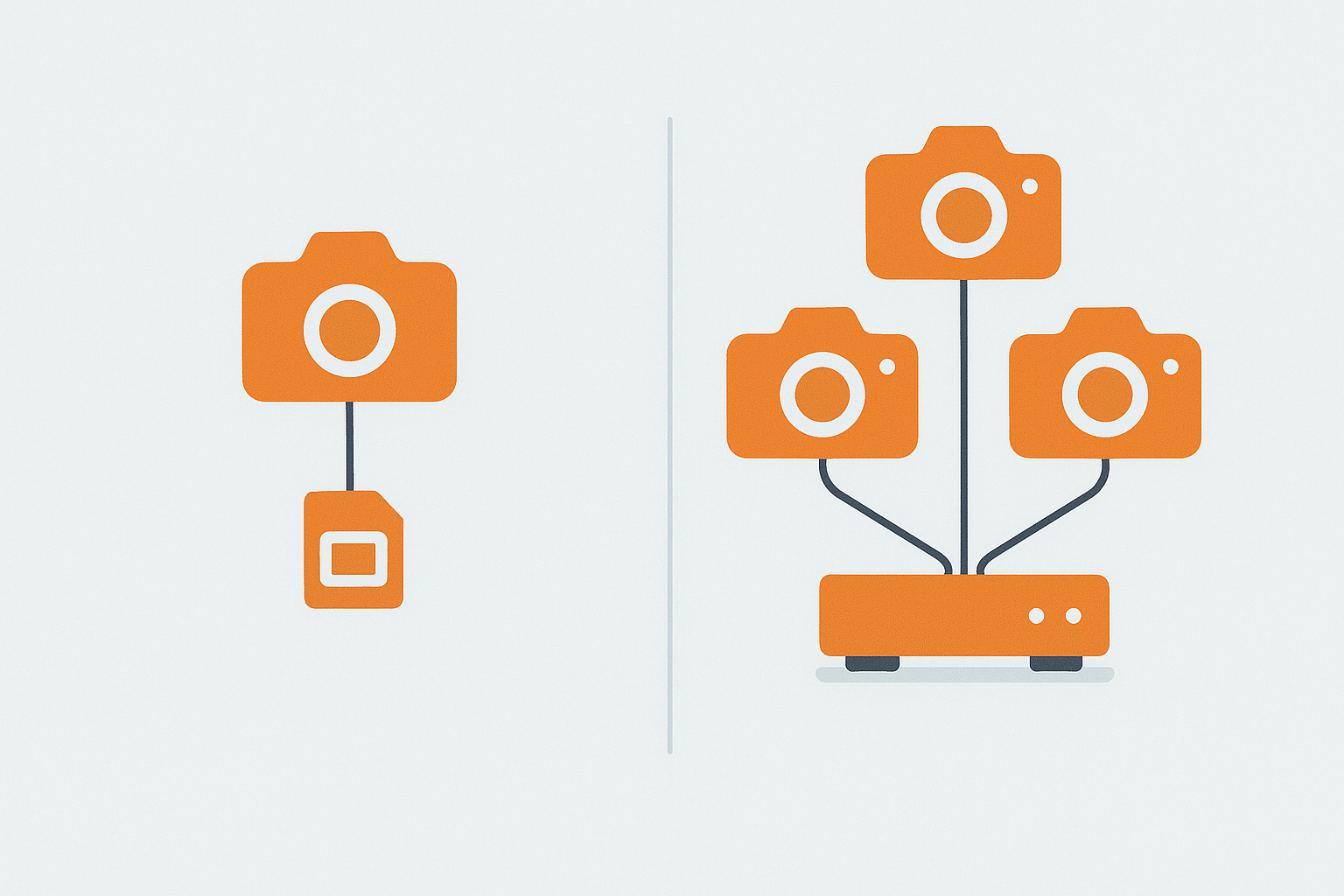
- Hub or NVR-based systems - cameras feed into a central local hub or network video recorder, which is where footage actually lives; better for multi-camera setups and longer retention
Which approach suits you depends mostly on scale. One or two cameras rarely justify the extra cost and setup of a dedicated NVR - onboard or hub-based storage is simpler and cheaper. Four or more cameras, or a desire for months rather than days of retention, is where a proper NVR system starts to make more sense, since it centralises storage management and typically supports larger, swappable drives rather than a fiddly microSD card per camera.
Working Out How Much Storage You Actually Need
This is the number that actually determines retention length, and it’s worth doing the maths rather than guessing. A single 2K camera recording continuously uses roughly 6-10GB per day depending on compression and scene activity; motion-triggered recording (the default and sensible setting for most doorway/driveway positions) cuts that dramatically, often to under 1GB/day for a typical low-traffic spot. On Eufy’s HomeBase, built-in storage on entry models is commonly 16GB, which at motion-triggered recording rates typically holds several weeks for one or two cameras - enough for most households, but check the specific model’s capacity and whether it accepts an expansion drive if you want months rather than weeks. For an NVR-based setup (Reolink’s standalone NVR or a UniFi Protect NVR), you’re buying and inserting your own hard drive, so retention scales directly with what you’re willing to spend on storage - a 2TB drive across four motion-triggered cameras will typically hold several months of footage, versus a few weeks on a smaller drive with more cameras or continuous recording enabled.
Quick Comparison
| Product | Storage | Resolution | Typical Price | Best For |
|---|---|---|---|---|
| Eufy Cam (S330/3C series) | Local HomeBase, ~16GB built-in, expandable on some models | 2K-4K depending on model | £180-350 for a starter kit | Easiest local setup for most homes |
| Reolink Argus/Lumus range | microSD (up to 256GB) or local NVR with user-supplied HDD | 2K-4K depending on model | £60-150 per camera | Budget outdoor cameras, flexible power options |
| Ubiquiti UniFi Protect | Local NVR, user-supplied HDD (typically 1-8TB) | 2K-4K depending on model, PoE | £200+ NVR, £80-200 per camera | Larger homes, tech-comfortable users wanting full control |
Best Overall: Eufy Cam Series
Eufy’s camera range pairs battery or wired cameras with a HomeBase unit that stores footage locally on built-in storage, expandable in some models with your own storage drive. You get continuous recording history, person/vehicle/pet detection, and two-way talk without any monthly plan for the core feature set - optional cloud backup exists if you want an off-site copy, but it’s not required to use the system. Battery models typically claim several months of runtime on a single charge under normal motion-triggered use, though a high-traffic position (a driveway with regular passing cars) will drain noticeably faster than a quiet side gate - worth checking the battery level in-app every month or two on any camera covering a busy area.
- Pros: genuinely no-subscription-required core feature set, easy app setup, battery models mean no wiring for most positions
- Cons: HomeBase built-in storage is fixed capacity on some models, so check expandability before buying if you want long retention; battery drains faster on high-traffic camera positions
Check Eufy Cam on Amazon UK →Affiliate link
Best Budget Option: Reolink
Reolink covers both battery and wired outdoor cameras, most of which record straight to a microSD card in the camera (supporting cards up to 256GB on current models, which at motion-triggered 2K recording comfortably covers weeks to a couple of months depending on activity levels). For multiple cameras, Reolink also sells standalone NVR units that take the recording duty off each camera individually, giving longer retention across a whole-property setup and removing the need to pull and check individual microSD cards. It’s a less polished app experience than Eufy, but consistently good value, and well suited to UK weather with solid IP65/66 weatherproofing across the range - the IP66 rating specifically means it’s rated against powerful water jets, not just rain, which matters more than people expect for a camera mounted somewhere that gets direct wind-driven rain.
- Pros: best value per camera, wide range of wired/battery/solar-powered options, strong IP65/66 weatherproofing genuinely suited to UK weather
- Cons: app and notifications feel less polished than Eufy, microSD-only cameras need manual card checks unless paired with an NVR
Check Reolink Cameras on Amazon UK →Affiliate link
Best for Larger Homes: Ubiquiti UniFi Protect
UniFi Protect is a step up in complexity and capability - cameras connect to a dedicated local NVR device (or a UniFi Dream Machine that includes NVR functionality), giving you a proper local video management system with long retention, detailed zone-based motion detection, and no subscription at any point. Most UniFi cameras use PoE (Power over Ethernet) rather than Wi-Fi, running both power and network over a single cable - genuinely more reliable than Wi-Fi for a permanent installation (no dropped connections from Wi-Fi interference, no battery to charge), but it does mean running Ethernet cable to each camera position, which is a bigger job than a battery or Wi-Fi camera if you’re not already set up for it. It’s overkill for a single front-door camera, but for a larger UK property with several cameras and someone in the household who’s comfortable with slightly more technical setup, it’s one of the most capable fully-local systems available.
- Pros: most capable local system here, scales well to many cameras, detailed zone-based detection reduces false alerts, PoE is more reliable than Wi-Fi for permanent installations
- Cons: requires a dedicated NVR device as an upfront cost, setup and network configuration is noticeably more technical than Eufy or Reolink, PoE cameras need Ethernet run to each position rather than just power
Check UniFi Protect on Amazon UK →Affiliate link
A UK-Specific Legal Point: Cameras Facing Public Areas or Neighbours
Worth knowing before positioning any of these: if a camera’s field of view captures a neighbour’s property or a public pavement/street beyond what’s reasonably necessary for your own security, UK data protection rules (enforced by the ICO) can technically apply to you as a data controller, even for a purely domestic camera - this is a genuinely under-discussed point compared to how much attention “no subscription” gets. In practice, angling cameras to cover your own property as tightly as reasonably possible, using privacy zones/masking (a feature on all three systems here) to blank out a neighbour’s window or garden that would otherwise be in frame, and being able to explain your reasoning if ever asked, covers the overwhelming majority of households. It’s rarely enforced for a single doorbell or driveway camera pointed sensibly, but a wide-angle camera aimed squarely into next door’s garden is the kind of thing that generates actual neighbour disputes and occasional ICO complaints.
Trade-Offs to Know Before Buying
- Physical theft risk - if the hub/NVR is stolen or destroyed along with the cameras, local footage is lost; cloud backup protects against this specifically
- Storage limits - local storage is finite and eventually overwrites old footage; check retention length against your needs (a few days is standard, more with expanded storage - see the storage maths section above)
- Setup complexity - hub/NVR systems generally take more initial setup time than a plug-and-play cloud camera, and PoE systems specifically need cable runs planned in advance
- Remote viewing still needs internet - “local storage” means footage lives on your hardware, not that the system works with no internet at all; checking live feeds or clips from outside the house still requires your home’s internet connection to be up
Frequently Asked Questions
Is local storage actually more private than cloud storage?
Generally yes - footage never leaves your property by default, whereas cloud systems upload continuously to the manufacturer’s servers. See our smart home privacy guide for the wider picture on what data different smart home categories actually collect.
Can I add cloud backup later if I start with local-only storage?
Eufy and several Reolink models offer optional cloud backup as an add-on subscription you can enable later without replacing hardware - useful if you want to start local-only and decide afterwards whether off-site backup is worth paying for.
How many days of footage will I actually get?
It depends entirely on storage size, resolution, and how much motion your cameras record - see the storage maths section above for working numbers. As a rough real-world range: a single camera on built-in HomeBase or a modest microSD card typically gives a few weeks; a properly sized NVR setup with a multi-terabyte drive across several cameras can comfortably reach several months.
See our smart home privacy guide for more on keeping footage and data under your own control, and our home insurance guide for how security cameras can affect your premium.
As an Amazon Associate we earn from qualifying purchases. This doesn’t affect our recommendations.
Related guides
 GUIDE
GUIDE
Should You Put Smart Home Devices on a Separate VLAN? A UK Guide
Every smart home device on your network is, from a security standpoint, a small computer running…
 GUIDE
GUIDE
Smart Home Gear That Actually Works in a Small Flat or Shared House (UK)
What to buy for communal areas vs your own room in a house share, and how…
 GUIDE
GUIDE
Smart TVs and Streaming Boxes for a Connected Home: UK Picks
Apple TV, Fire TV Stick and Chromecast compared for how well each plugs into your existing…